My Personal MTN BBlited Settings Using Psiphon

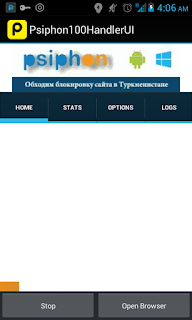
Good day Our Esteemed Reader, Since I received lots of text via my phone concerning the Etisalat chat pack stuff, so I decided to share with you my Personal MTN BBlited configuration. Just follow the instructions below: 1. Launch your Psiphon VPN, and configure it like the image below: 2. Click the save 🔲 button when you are through then select the tunnel whole device that will show in the next pop-up box. 3. Click on the the MORE OPTIONS button. 4. Tick the CONNECT THROUGH AN HTTP PROXY and fill it with the configurations below: 5. My to the HOME tab and click the START Button.