Posts

Showing posts with the label Mobile Phone and Pc

7 Ways To Increase The Battery Life Of Your Android Smartphone
Image
As we all know that android smartphone is the most used device in the world when it comes to the phone world. With Features like multitasking, it's easier for the device battery to get drained up at a fast rate. There are fews reasons why your battery gets drained easily which includes overcharging, apps running in background mode but this discussion has to do with some tips to increase the life span of your android battery. 1. Check The Apps Which Is Using More Power: We have many apps installed on our Android smartphone and also their power consumption is quite different therefore, there is possibility of fast battery drainage. This can be avoided by optimising your android Battery usage. This can be done by going to Settings>>> Batteryuse>>> Select app you want to optimise. 2. Stop Background Services: Apart from using our Android device, we have some application that runs in background mode thereby consuming your device RAM and Battery. Though, bac...

How To Turn Off Text Auto Correction On Android

Image
Though having your text/words autocompleted by your android device is somehow great and useful but some correction can be quite irritating sometimes even when you don't feel like changing some words but it has already changed itself. This post is written just to help in removing the autocorrect option of your phone but not to initiate a "bad mouth" about the autocorrect option of your phone. Here's what you have to do Turn Off Autocorrect on your Android Device: 1. Launch your Android's device settings menu. 2. Go to the "Language & input" Menu but in case your settings tab is divided into section and you can't find Language & Input, it's mostly found in the "Personal" section of your settings tab. 3. From the keyboards & input methods menu, Select "Google keyboard". 4. Tap the "Text correction" option and turn off the "Auto-correction" toggle case. 5. You have successfully turned of...

Memory Cards (SD) Not Detected On Mobile Phones Solved

Image
Sometimes when you try inserting your memory card into your Phone, you get frustrated because your device is not detecting the Memory/SD card. Even when your Phone memory seems to be slow because of little memory space and you find out that your memory card is not detected, then its possible that you are reading the right post. So when things ain't working out like expected, then below are some things to check with solutions: 1. Dirty Memory Card : Most memory cards users/owner do not care maybe their card is dusty, stained with grease, all they want is a working memory card. With this cause, you card may find it difficult to work. SOLUTION : Check the card to see if there are dark spots or dusts on the card. if there is, Clean your memory card with methylated spirit or alcohol or water and wait till it gets dry then insert it into your device. 2. Memory Card Slot Is Damaged : When you try inserting your memory card, it may seem you forced it thereby squeezing...

How To Hide Files/Folders On Your Android Without Any Application

Image
Wow, It’s been a long time I posted about Android tips. I have been busy with Computer  tips here. But today, I will be writing about how to hide your personal files/folders in your android phone without any application. RECOMMENDED: How To Fix Limited Access On Your Computer When Connected To Hotspot In some cases, you might have got some private or secret documents on your phone which you might not want anybody to see or have access to the File/Folder, then you are reading the right post which will guide you. Launch the default File Manager on your Android Device as seen in the image below:  Click the option tab of your Android device and you will see 3 options just like the one below then click Show hidden files (Note: It may vary depending on the version of your Android OS): The list of the Hidden files on your Android device will be displayed, check below: Rename the name of the file/folder starting with DOT (.) and the File/Folder name, but in this case...

Reasons Why You Need A New Laptop

Image
Good day to you all, I’m pleased to write to you some facts on why you should get a new laptop over your present laptop. As written in some weeks ago, We discussed about How to fix limited access on your computer when connected to Hotspot and also ways to clean your slow computer memory . It’s very common among many computer users sticking with three, four, five year old laptops and never care of replacing it because they don’t see a convincing reason to upgrade. Also read:  5 Reasons Why Your Computer Might Crash .Therefore if you are one of those with the same perception, I will proffer you to read the following and tell you that you are wrong. LONG LASTING BATTERY Except you replaced the battery of your system, your old laptop of about five (5) years ago will only take a little portion of its original charge. In this case, the laptop owner is always with his/ her laptop charger due to lack of long lasting batteries. In fact, some systems no longer have the reserved back u...

Airtel Introduces 3GB Data Plan For 1000 Working For All Devices

Image
Good morning readers, It's my pleasure to inform you that Airtel just launched a cheap data plan that works on all device be it android, blackberry even java phones. Its very surprising to see this coming from Airtel, Guess it's because of the High rate of competition between the telecommunications networks here in Nigeria. Well there is nothing difficult to get in the Data plan subscription. Simply recharge your Airtel Sim Card with a sum of #1000 only and dial the codes below: To Subscribe: *431# To Check Your Data Balance: *140# Note: This doesn't require any IMEI tweaking. Just dial the codes above to start surfing. Don't forget to share.

Windows 10 Mobile Update For Windows Phone 8.1 Users To Arrive Early Next Year

Image
Microsoft previously announced plans to ship the new Windows 10 Mobile OS to handsets powered by Windows Phone 8 and 8.1 this December, but it seems things are not yet set as reports citing the company's officials say the update (OTA) may now arrive early 2016. "This November we introduced Windows 10 to phones including brand new features such as Continuum and Universal Windows Apps with the introduction of the Lumia 950 and 950 XL." says a statement made available by Microsoft's officials. "The Windows 10 Mobile upgrade will begin rolling out early next year to select existing Windows 8 and 8.1 phones" There's no word on which existing Windows Phone devices will get the over-the-air update, but that should be made available in due course. In a related news, we hear the first cumulative Windows 10 Mobile 10586.29 update released for the Lumia 950 and 950XL this month, which was later pulled off the company's download servers du...

Awuuf Offer: Get 1.2GB For N1000 monthly in your Glo Sim

Image
Glo Nigeria has just introduced a data bundle capped at 1.2GB for just #1000 naira monthly. To Subscribe for this service, Follow the steps below: » Recharge N1000 on your Glo Sim and dial *777#, then follow the prompt to choose your selection. or press 1, 1, 2 respectively after selecting SEND. NOTE: It is Valid for 30 days Meanwhile, You can also enjoy the new Airtel weekend package via this Link Enjoy your weekend with Airtel 1GB for just N100! Enjoy it while it last. Hope this information helps? If it works for you, don't forget to comment here and remember to hit Share/Like buttons for the benefit of others. www.facebook.com/gidimasters

New MTN Data and Calls Offer For Grab At Cheaper Rates

Image
I'm pretty sure that a lot of you guys really enjoyed MTN bonus of N33,600, N20,000 or N10,080, while some smart guys are still flexing with MTN to MTN calls offer by paying just N50 per week. I wonder why MTN and Infinixmobile deceiving us by suspending the activation of 1GB for N500 . It was boldly written on the Infinix Hot2 pack " Get 1GB for N500, offer available for 12months ". Anyway, I can't blame them much, I'm sure that such decision was made just to stop 9ja guys from destroying their server through IMEI tweaking. Now it is time to flex with another MTN cheap data/calls offer, you can now get 500MB for N500, 1GB for N1000 and 2GB for N1,500. This doesn't involve third part data reseller, You are to load the MTN recharge card directly to your MTN SIM, then dial simple code and your MB/GB will be activated instantly. Simply use the below codes to subscribe; Data Offer » Dial *567*3*1*2*1# for 2GB at N1500/ month » Dial *5...

Etisalat #0.00k To Rock the web Using PSIPHON

Image
Just follow the steps below to Configure Your Etisalat Unlimited browsing with 0.0kobo. How to Set Etisalat 0.0kobo Unlimited Free Browsing with Psiphon Vpn   =>Go to SETTINGS from Your Phone Then Locate APN SETTINGS. Set your Access Point network settings as:  APN: ETISALAT IP proxy: Leave It Blank PORT: Leave It Blank =>Launch Your Psiphon VPN  and If You Dont Have, Click    Here  to  Download  the New version of Psiphon handler for android device  Under Proxy type select ‘‘ real host ''  Under Proxy  server :  41.190.16.160:8080   Then leave the others and save. You will get a pop up message asking if you want to use psiphon browser only or Tunnel whole device. Make sure you choose tunnel whole device  Then it will take you to the next screen, click on the option tab.  Under region select  USA server , and then click on more option. Then ...

How To Check Your BANK VERIFICATION NUMBER Via USSD Code

Image
The Bank Verification Number Scheme Was introduced By the central bank of Nigeria late last year (2014) in which the deadline was later extended to October 31, 2015. The Registration was extended because majority of Nigerians haven't registered for the scheme. Have you registered for BVN and you are not sure if it has been processed or You want to check your BVN, then you are reading the right post because I'm tell you right here. To check it, Dial *565*0# using the mobile number you linked with your bank account. NOTE: Its working only on ETISALAT and AIRTEL Network. Dont forget to invite your friends ...

How to find your lost or stolen Microsoft phone

Image
It's very painful when you lost or someone stole your phone. If it truly got lost or stuck within your room or house, with the help of the in built function called "Find My Phone", you don't need to worry that much since its very easy to get. This free service on account.microsoft.com/devices will help you get back your phone with just 4 options which are: Ring, Lock, Erase, or show your Windows Phone on a map. If its your first time of signing into Windows Find My Phone, You must follow the following steps: NOTE: You must be signed into your Microsoft account on your Windows phone. 1. Visit www.account.microsoft.com/devices . You maybe prompted to sign in again but just relogin with the same Microsoft account you used to sign in on your phone. 2. Select the phone you want to find and click on "Find My Phone". To locate you phone on the map, follow the steps below: 1. Go to account.microsoft.com/devices . 2. Choose the phone you want t...

Working Username and password for Etisalat Open VPN trick

Image
I posted a trick about this sometimes ago but the username and password are no longer working. Check it here: http://www.gidimasters.com/2015/09/etisalat-unlimited-surfing-via-openvpn.html But now, This is the newest and latest working trick using Open VPN. First of all, download this .oven file to your android device. http://www.datafilehost.com/d/50bbe9d8 And Then Import the files to your OpenVpn. Now input the username and password below Username: vpnbook Password: binbd5ar Note: New password is generating after some days so you have to get new one.

How I Shared VPN Network(Tweakware, Open VPN, Psiphon) From My Android To PC Using DF Tethering Fix app

Image
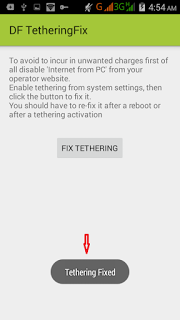
In our last post we show you how to share your mobile VPN network to your Pc using pdanet+ software. This is another super-fast tethering app that works perfect without any limitation, this app is called DF Tethering Fix. DF Tethering Fix allows you to remove limitation on tethering imposed by android and let you use your mobile Vpn networks such as Psiphon, OpenVpn, Tweakware etc. You can share the network using your mobile hotspot. Advantage of DF Tethering Fix app: 1. You don't need to install any apps on the device you want to share the network to. 2. It has no limitation. Note: This app works on rooted device only not like pdanet+. To enjoy this app you need to root your mobile device. If you want to root your android device click Here http://www.gidimasters.com/2015/09/how-to-root-infinix-hot-infinix-hot.html How it Works. Click HERE to download DF Tethering Fix app on your android device http://www.datafilehost.com/d/dfd410bd Now go to ...

Enjoy Etisalat Unlimited Browsing With iPhone/iPad Using OpenVpn for iphone

Image
Good news to iphone users, Openvpn has fix the issue of import file and you can now enjoy etisalat unlimited browsing on your iphon/ipad the way we enjoy it on our android phone . No long story, the steps are straight forward just follow them and rock on your iphone with Etisalat social pack browsing with no expiring date. Dial *200*3*3*2*1*1# to subscribe and N100 or N50 will be deducted. How to Use Open VPN on iPhone/iPad with Etisalat Unlimited Browsing: 1. Click HERE to download and install OpenVpn on your iphone/ipad https://itunes.apple.com/ng/app/openvpn-connect/id590379981?mt=8 2. Click HERE to download config file and extract the config file to .ovpn file http://www.datafilehost.com/d/50bbe9d8 3. Then Import the files to your Openvpn 4. Now input the username and password below: Username: vpnbook Password: binbd5ar Note: New password is generating after some days so you have to get new one. Any time you try to connect and you saw auth...

Etisalat Unlimited Surfing Via Psiphon For Android Users(Alternative to Tweakware)

Image
I'm pretty sure that lots of fans are enjoying Etisalat Smartpak Tweak and tweakware which I posted about few days ago, though, is not fast for downloading and not responding well for streaming, but we are still managing it to surfing on the web till we get another better server to speed it up. Let me quickly introduce another powerful VPN to you which can be used to bypass like SimpleServer. It is popularly known as Psiphon. Psiphon is a circumvention tool from Psiphon Inc. that utilizes VPN, SSH and HTTP Proxy technology to provide you with uncensored access to Internet content. Psiphon is currently working fine with Nigeria Etisalat and MTN Network. To use Psiphon VPN with Nigeria Etisalat Network on Android Devices => Subscribe to the weekly Etisalat Chat park, which is one of Etisalat Smartpak packages that goes for N150 by dial *343*5*6# or => Subscribe to Etisalat monthly Socialme that goes for N200 by dial *343 *6 *11# Note: For Socialme p...

10 Reasons Why Your Android Battery Is Charging Slowly And How To Fix Them

You can remember a time when it didn't take all night to charge your phone. Back in those golden days of yore, your Android's battery meter went from a pixel-wide strip of red to a fat green bar in a quarter of an hour. Nowadays, however, your poor phone takes ages to recharge, and you're constantly scrambling from one charge session to the next. Or maybe your phone has always been a snail-paced charger, constantly left in the dust by your friends' devices. Whatever your experience, it's time to finally put your smartphone under a diagnostic microscope and get to the root of its slow-charging issue. Odds are your phone is suffering from one of these ten ailments, and we're going to show you how to fix it if possible. We're going to tackle these roughly in order of decreasing likelihood, so let's start with the most common culprit… Possibility 1: You have a bad cable If your phone is charging slowly, checking the USB cable shou...

10 Signs You’re Probably Addicted To Your Smartphone

You love your smartphone. It helps you get from point A to point B, it keeps your email readily accessible, and it helps you to stay connected to friends near and far. There's no way something so awesome could be harmful, right? Wrong. Smartphone addiction is a real concern, especially as people become increasingly dependent on these gadgets to conduct daily activities. If you fear your devotion to your smartphone is bordering on addiction, here are 10 signs it might be time to seek help: 1. You text people who are in the same room as you. 2. Your phone goes everywhere with you — even the bathroom. 3. You can't recite any of your loved ones' phone numbers from memory. 4. You sleep with your phone. 5. You don't know how to turn your phone off. 6. Your self-esteem is tied to how many notifications you get. 7. You see more through the photo app on your phone than the eyes in your head. 8. You panic if your phone is out of sight. 9. You'd rathe...

How To Identify Fake USB Devices/ Cords

USB (Universal Serial Bus) is considered a very simple and flexible way of connection between personal computer and other electronic devices. However,USB can malfunction if you are not using the quality type. There will always be partial contact when using fake USB, thereby delaying your job which is very annoying. Today, i want to share with you, a very simple way of identifying a fake USB. Its as simple as ABC. Get your USB, check the two holes that reveals the bus/contact. If the conductor there is Golden colour, it means its copper which is original. Copper has high conductivity than aluminium, copper also has relatively high tensile strength (the greatest stress a substance can bear without tearing apart). Now to identify a fake USB, check the two holes again, if its silver colour, it means its aluminium, which is fake. Although aluminum has only about 60 percent of the conductivity of copper, but the tensile strength is very low( which tears apart when subj...